
ERP for Australian businesses that make, supply, install and serviceQuote it. Make it. Deliver it. Install it. Bill it.
One system from the first quote to the paid invoice: use the steps your business runs. Two-way Xero sync, built and supported in the Hunter, in daily use since 2017.
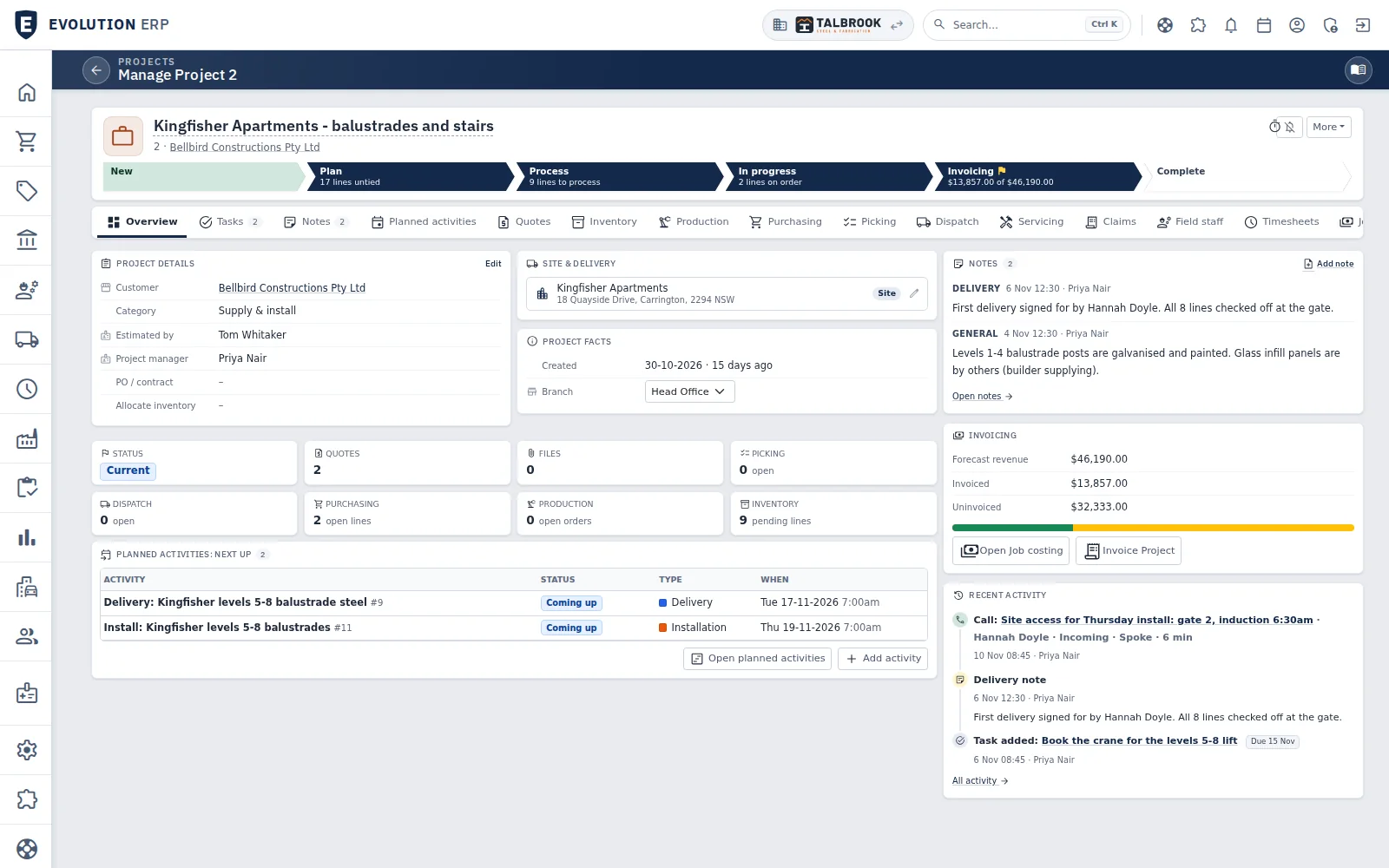
- Each stage shows what is left: lines to plan, lines to process, the amount still to invoice
- Quotes, production, purchasing, picking, dispatch and claims are tabs on the same Project
- Open quotes, picking, dispatch, purchasing, production and stock at a glance
- Customer
- Olympic Group80+ admin hours a week saved
- In daily use since
- 2017by Australian manufacturers
- Releases
- Weeklynew features ship every week
- Accounting
- Xerotwo-way sync, payments back every hour
How it works
One record from the first quote to the paid invoice.
Every step below happens on the same Project, so nothing is re-keyed between the office, the floor and the truck.
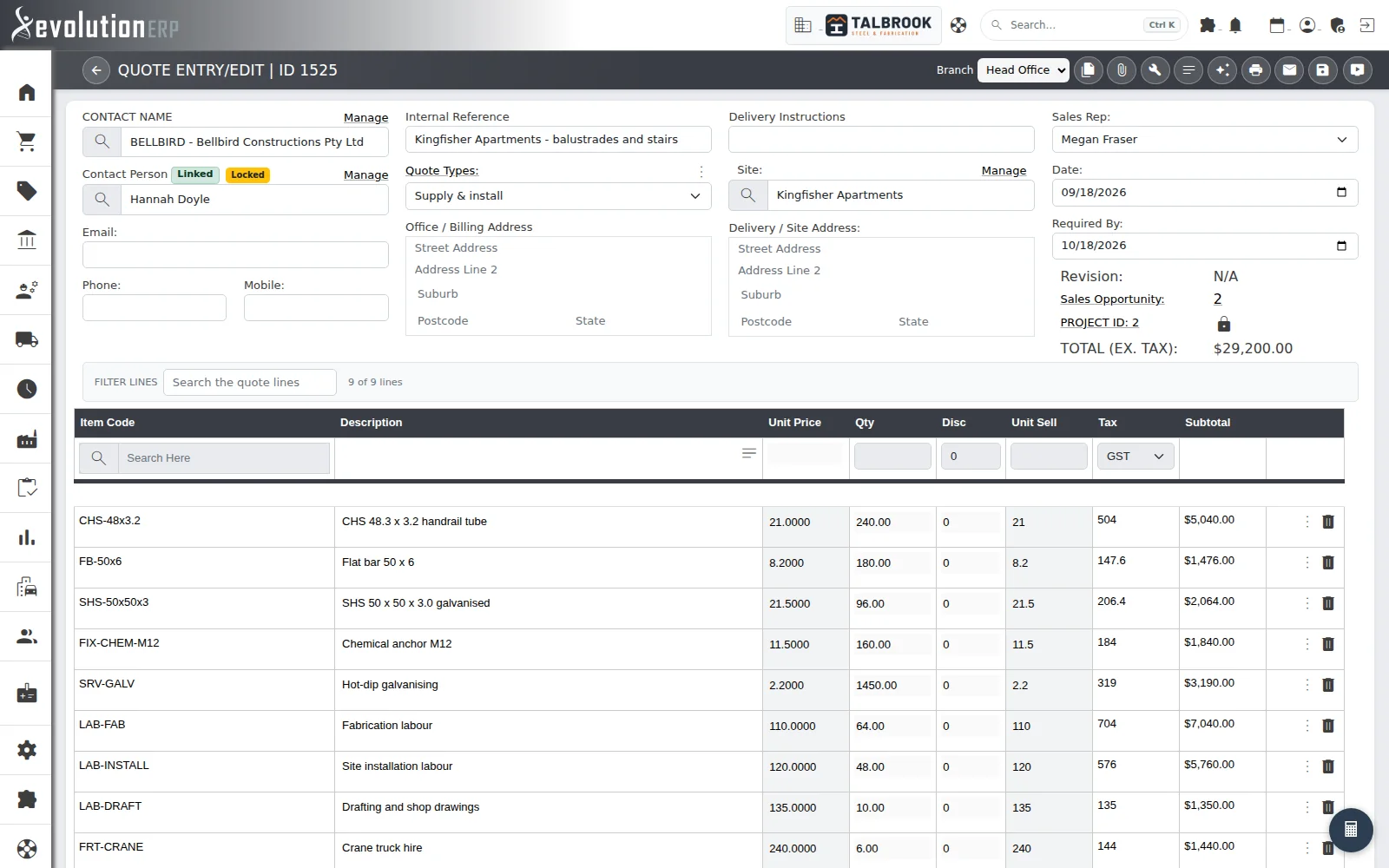
- A quote type for each kind of work: supply only, supply and install, repairs
- Lines from your own items and labour, at your own prices
- Won from its Opportunity and accepted into Project 2
01Quote
Price it from your own costs, not a spreadsheet.
Build quotes from your own items, labour and margins. When the customer says yes, the quote becomes the Project and nothing gets typed twice.
- Quote types and templates for each kind of work
- BOM configurator with contract pricing and pricebooks
- Lines, BOMs and optional extras carry into the Project
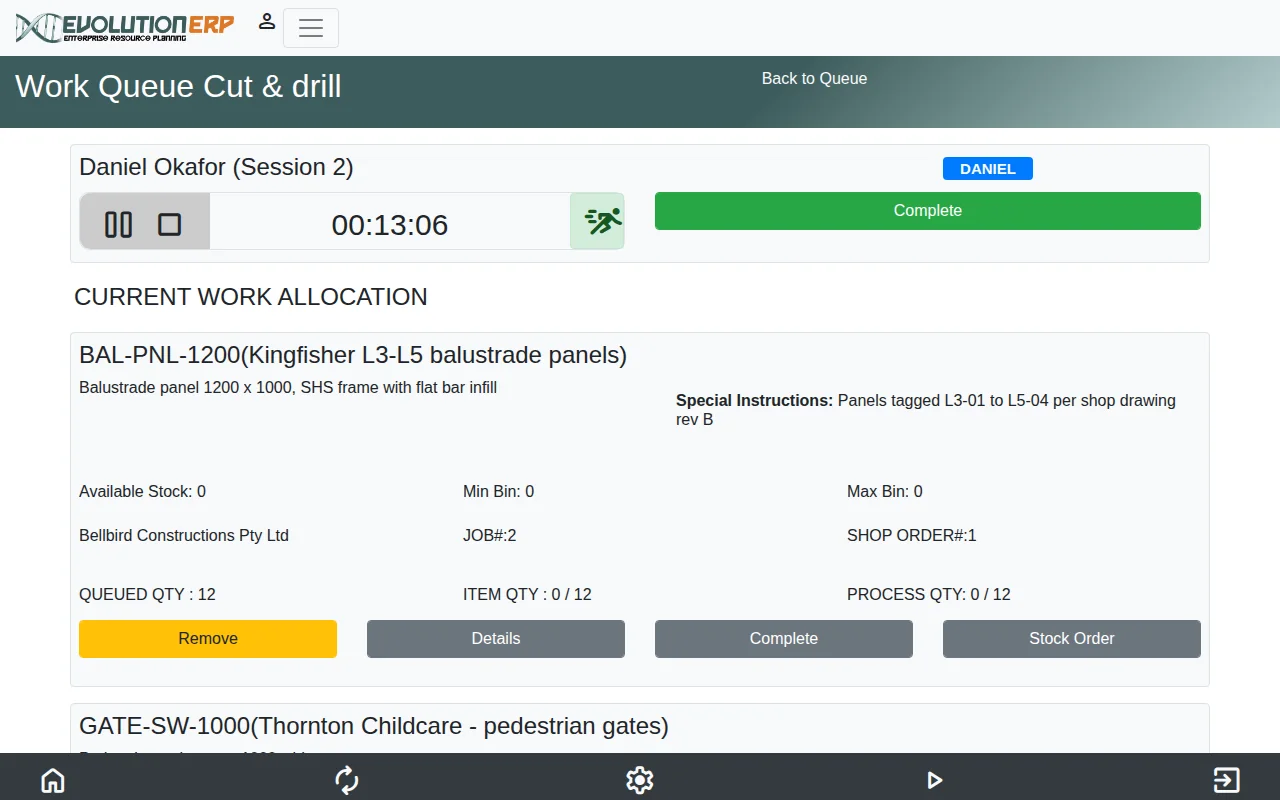
- The session clock runs while the operator works
- Special instructions from the shop drawing, on the bench
- Queued, made and left to do for each process
02Make
Run the factory floor from the same record.
Production orders come straight off the Project and move through your own routes and processes, with the floor working from a tablet.
- Production orders through your routes and processes
- Factory workbench on a tablet: sessions, QA forms, consumables
- Live board, KPIs, and load against capacity
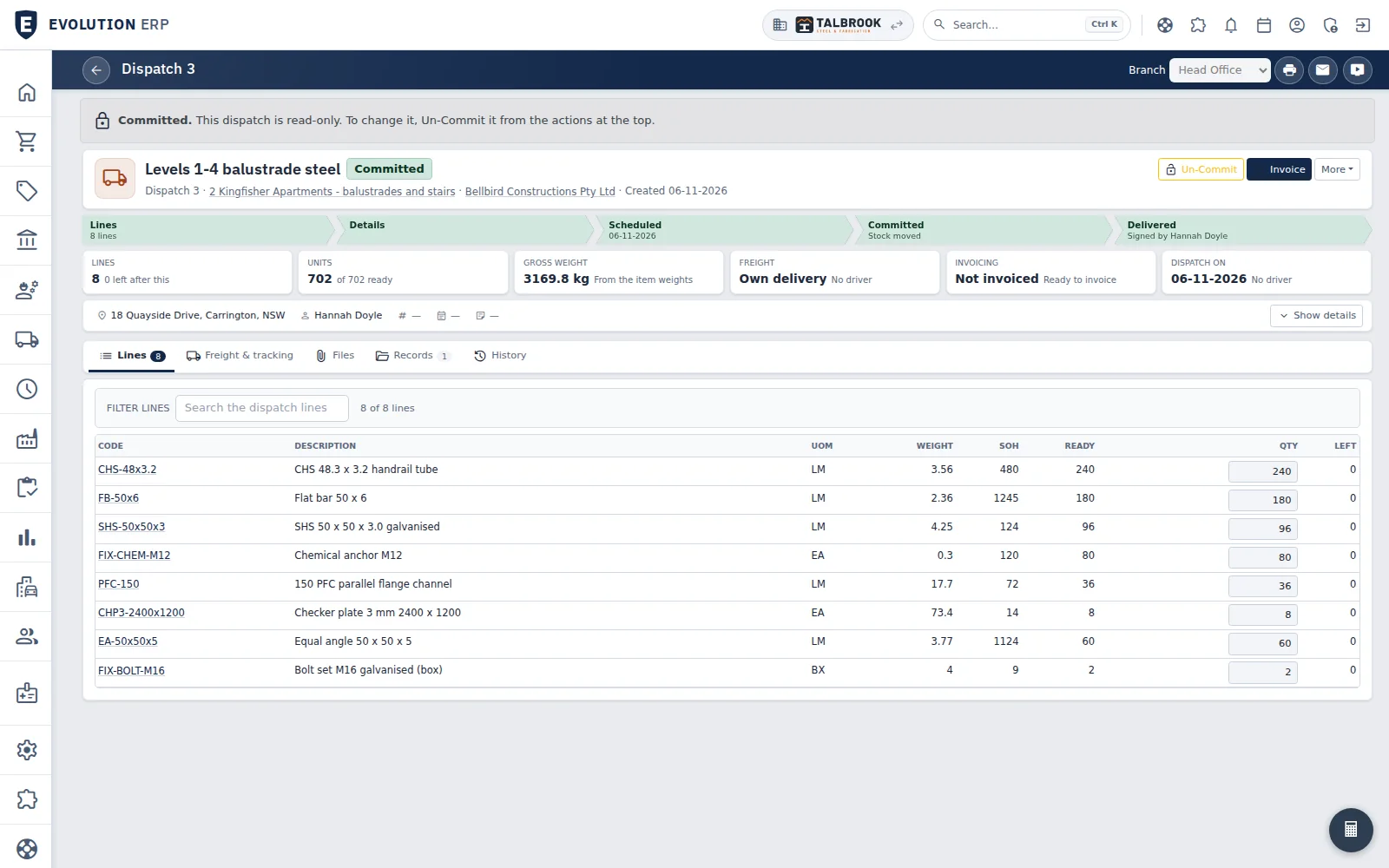
- Delivered, and signed for by name
- Gross weight worked out from the items
- Each line shows what is ready and what is left to send
03Deliver
Pick it, load it, get it signed for.
Picking slips and dispatches come from the Project, and drivers run the day from their phone.
- Picking slips and dispatches from the Project
- Runsheets with drivers, vehicles and a route map
- Signed proof of delivery and freight manifests on mobile, with tracking emails
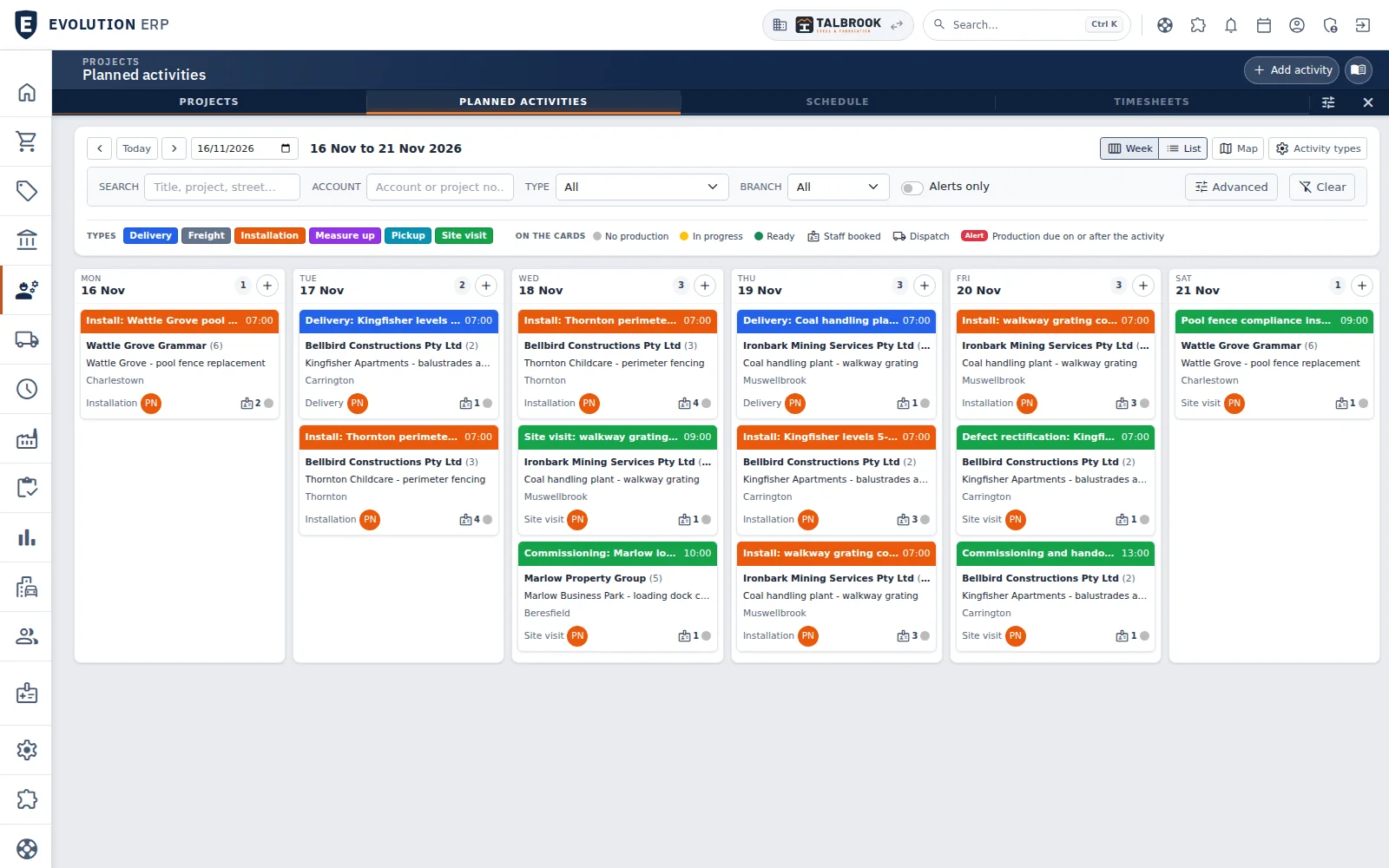
- Installs, deliveries, measure-ups and site visits, colour-coded by type
- Crew booked to each visit
- Defect rectification and handover visits on the same week
04Install
Install it, commission it, hand it over.
Site work runs from the same Project: who is going where and when, what they need to know when they get there, the safety forms they sign on with, and the defects they close out before handover.
- Planned activities and crew scheduling on the Project and the calendar
- Site instructions, inductions and access notes for every visit
- WHS form builder for pre-starts, sign-ons and inspections
- Defects logged, assigned and rectified through to handover
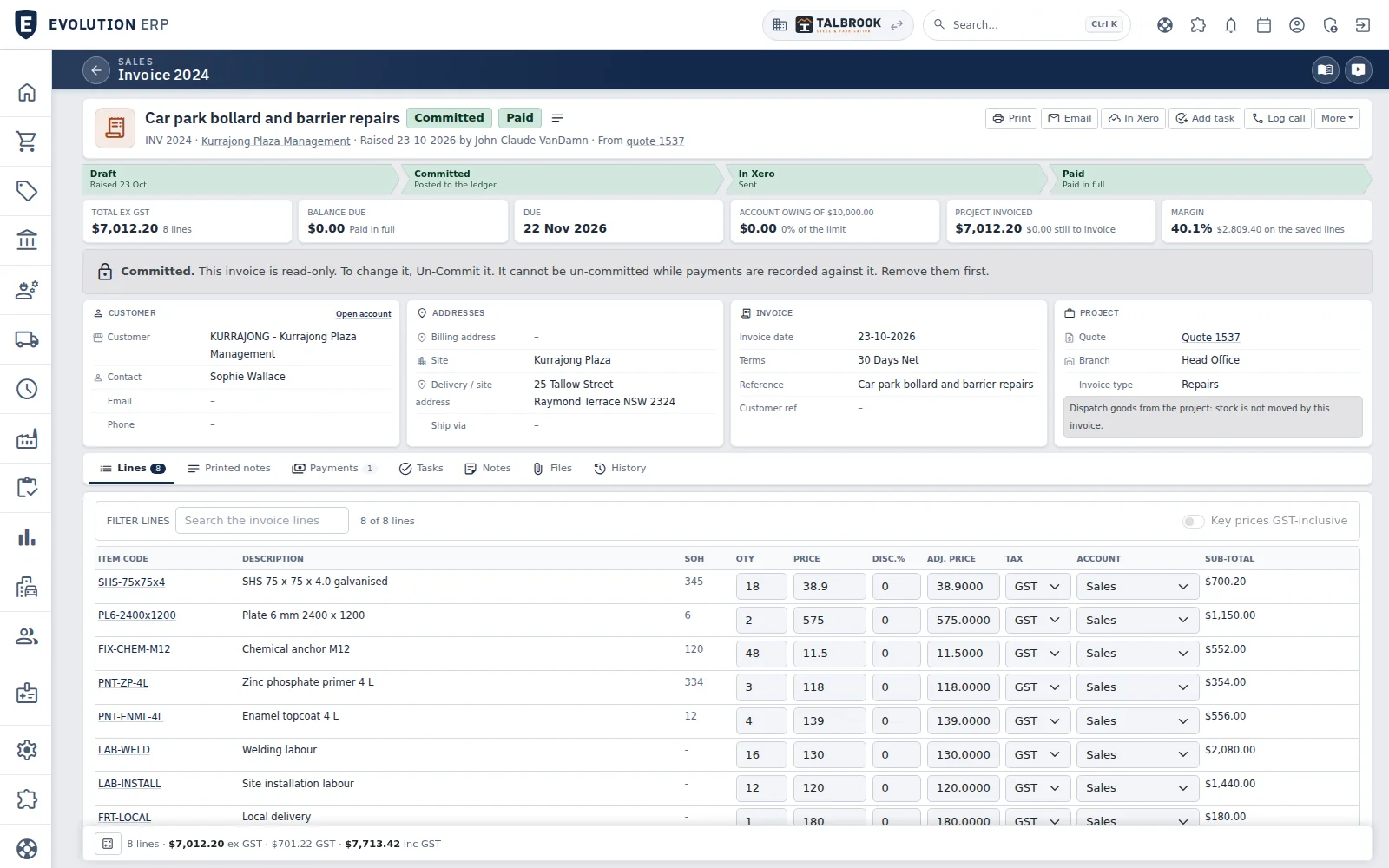
- Raised from the quote, so nothing is typed twice
- Sent to Xero from the invoice: draft, committed, in Xero, paid runs across the top
- Margin on the lines before it goes out
05Bill
Invoice it, and Xero stays in step.
Invoice from the work you actually did, then see what each Project really made.
- Progress claims, retentions and recurring invoices
- Invoices and bills to Xero every 15 minutes, payments back every hour
- Project costing and WIP
Timesheets
Every hour lands on a Project.
Workshop and site crews book their time against the Project they worked on. Labour turns up in Project costing straight away, and it is there to invoice from.
- On the floor or on site
- Run a timer while the work is happening, or enter the day afterwards, against the Project’s labour lines.
- Approved and billable
- The Project manager, a timesheet manager or a department manager approves the week’s hours on one screen, and billable and non-billable time is kept apart.
- Costed and invoiced
- Each hour is costed at the person’s rate, and invoiced time is marked so it is never billed twice.
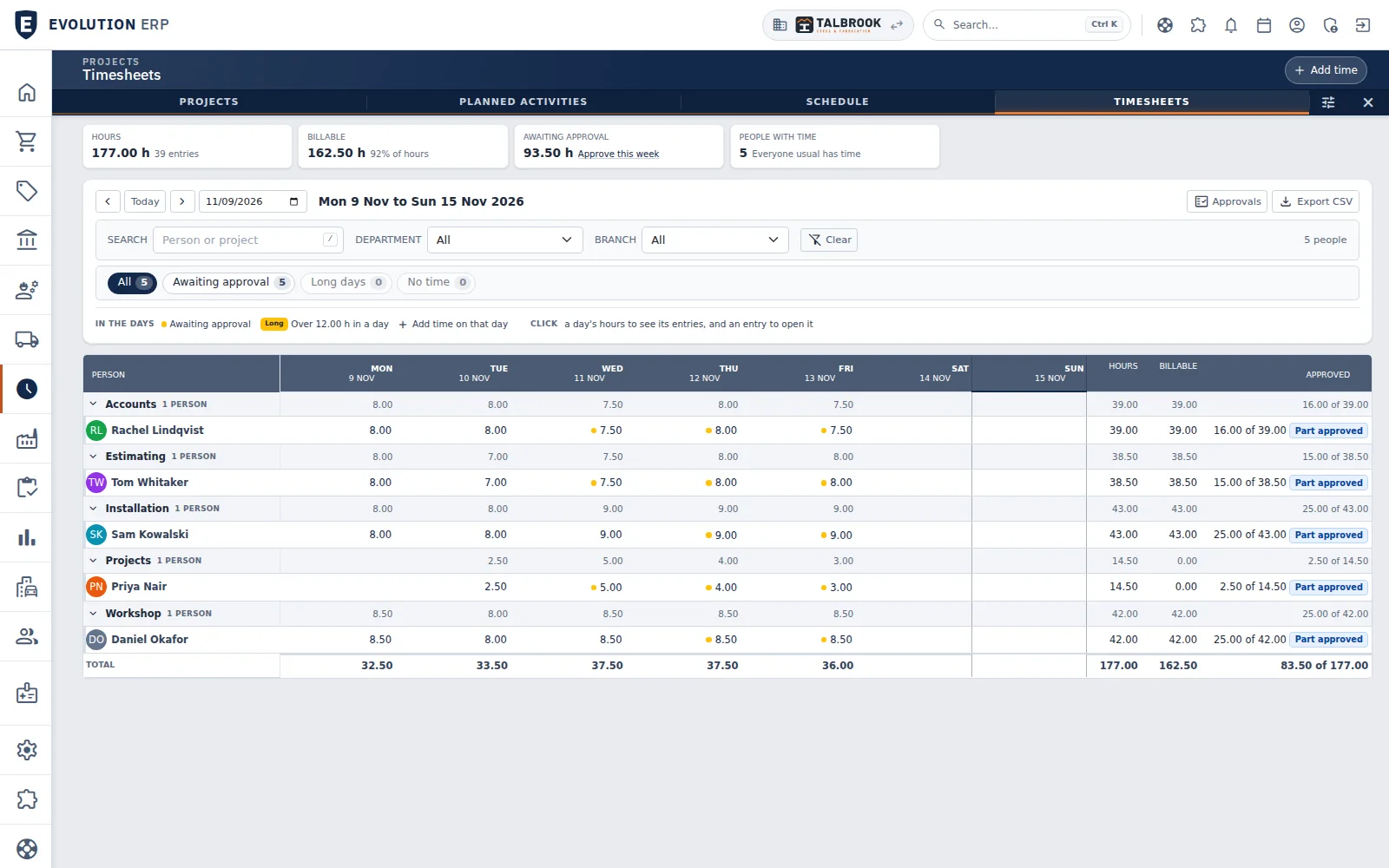
- The week's hours, billable share and time still awaiting approval
- A dot marks hours awaiting approval; click a day to see its entries
- Hours, billable and approved totals for every person
Specification
Everything you’d expect from a much bigger ERP.
Without the six-figure implementation, or the consultant you need to change a report.
- 60+
- built-in reports
- 35+
- dashboard widgets
- 140+
- help pages, written by the people who build it
| Ref | Module | What’s in it |
|---|---|---|
| SEL | Sell | CRM, leads and opportunities, quotes and quote templates, contract pricing, pricebooks, Shopify orders |
| MAK | Make | Bills of materials, production orders, routes and processes, factory workbench, QA forms |
| STK | Stock | Multi-branch inventory, bins, serial numbers, min/max reordering, units of measure |
| BUY | Buy | Requisitions, purchase orders, receiving, supplier bills to Xero |
| DEL | Deliver | Picking, dispatch, runsheets, proof of delivery on mobile, freight manifests |
| SIT | Install | Planned activities, crew scheduling, site instructions, WHS form builder, defects |
| BIL | Bill | Invoices, progress claims, retentions, credit notes, recurring invoices, two-way Xero |
| PPL | People | Timesheets for workshop and site, calendar, permissions by user and module |
| INS | Insight | Reports, dashboards, Project costing and WIP |
Pricing
A price you can read on the website.
Per user, per month, plus a fixed onboarding fee. No lock-in contract, and no six-figure implementation.
- Per user / month
- $90excluding GST
- Onboarding
- from $9,500up to 10 users, over three months
Onboarding from $9,500 covers up to 10 users on Xero: we bring your data across from Xero and train your team with in-app videos and the help docs. More users, live training, or data from other systems are quoted before you start.
Industries
Built for the work you do.
Evolution builds the systems behind some of Australia’s largest industrial fencing companies. The same Projects, stock, scheduling and billing suit any business that quotes the work, then makes, supplies, installs or services it.
01 · Fencing & gates
Fence and gate manufacturers
A fence costing toolbox that prices runs, panels and gates from your own costs, then carries them to the factory and the truck. Built alongside an Australian fence manufacturer, in daily use since 2017.
Fencing & gates02 · Steel fabrication
Steel fabricators
Quote from BOMs, track every Project through the shop, and know what it made at the end.
Steel fabrication03 · Industrial supply
Industrial supply & distribution
From the trade counter to the truck: multi-branch stock, purchasing and dispatch.
Industrial supply04 · Construction trades
Trade contractors
Supply and install: schedule the crews, claim progress and retentions, and close out defects.
Construction trades05 · Engineering & services
Engineering & service companies
Quote hours by role, approve timesheets each week, and keep servicing visits and qualifications on schedule.
Timesheets & services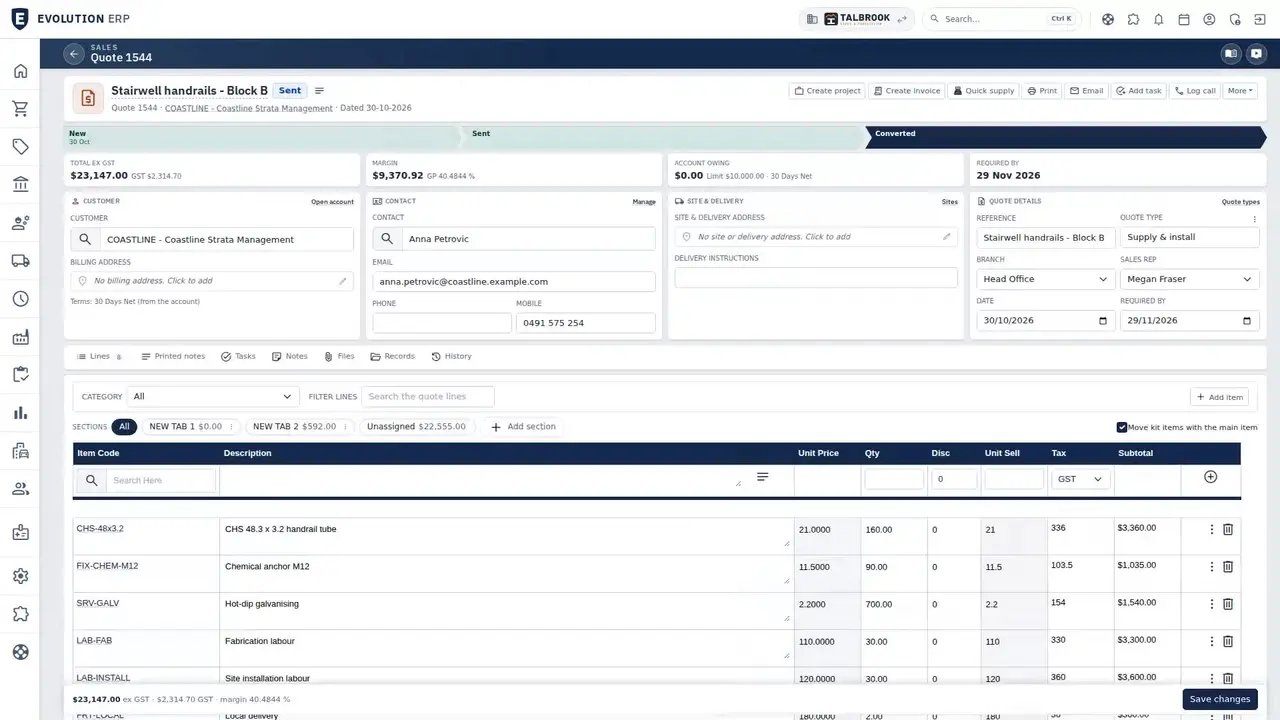
Video · 1:23
Who Evolution ERP is for
One chapter for each kind of business, recorded on our demo company. Jump to yours.
Chapters
Switching
Off spreadsheets and onto one system, a step at a time.
We bring your customers, suppliers, items and prices across, and set Evolution up around how you already work.
- Step 01Your data imported and checked with you
- Step 02Quoting in Evolution first
- Step 03Then production, dispatch and billing, end to end
Local
Built in the Hunter. Hosted in Sydney.
The people who write Evolution are the people who answer the phone.
- Hosting
- Servers Australia VMware cloud, Sydneyacross two data centres, backed up twice a day
- Uptime
- 99.99% platform SLAthe hosting provider’s service level
- Support
- 72A Mustang Drive, Rutherford NSW02 4030 0730
Book a demo
See the whole flow in one demo.
We’ll walk you through a working demo company, from quote to factory to truck to invoice, and answer your questions as we go.