
Video · 1:16
Invoicing and Xero in Evolution ERP.
Invoices from the Project, progress claims with retentions, time and recurring invoices, the Xero sync, credit notes and Project costing. Recorded on our demo company.
Watch
Invoice it, and Xero stays in step.
Pick a chapter to jump straight to it. Captions are in the player.
- Length
- 1 minute 167 chapters
- Recorded on
- Talbrook Steel & Fabricationour made-up demo company, not a customer
- Captions
- Englishturn them on in the player
Chapters
Transcript
What the video says.
The narration, chapter by chapter, as it is spoken in the video.
| 0:00 Invoicing in Evolution ERP | Invoice from the work you actually did, and Xero stays in step. Here's billing in Evolution ERP. |
|---|---|
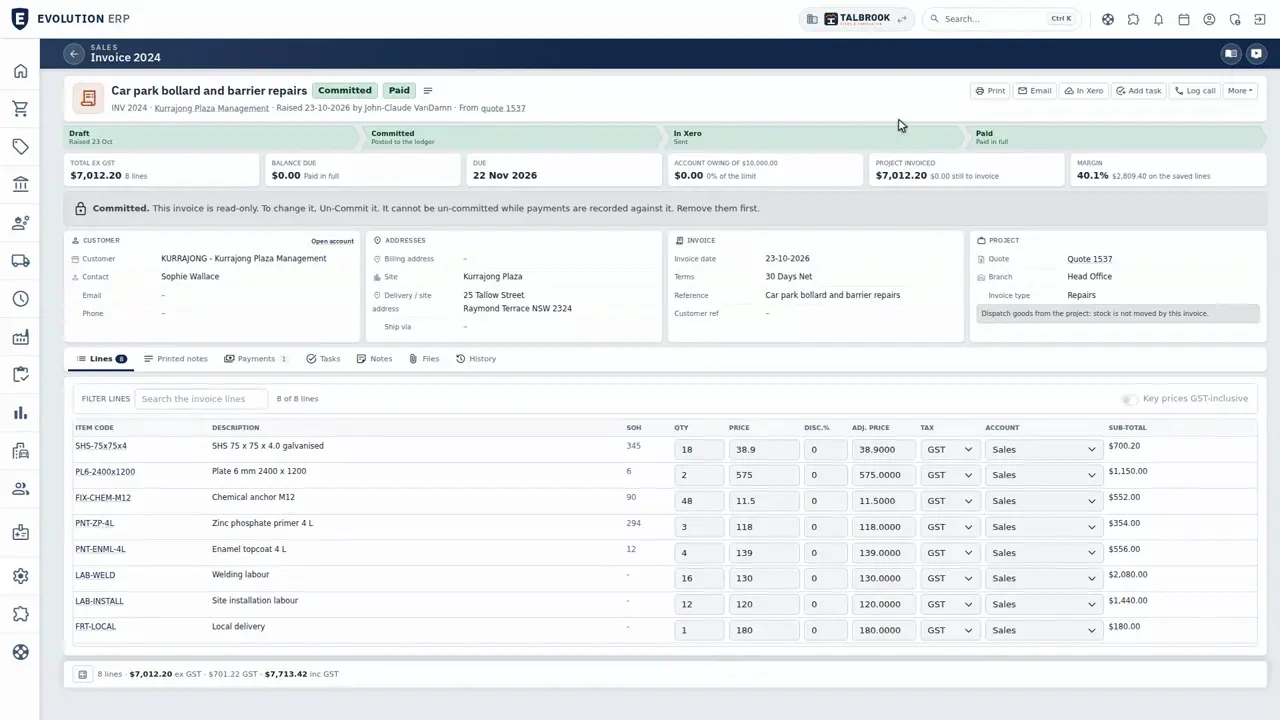
| 0:07 Invoice from the Project | Invoices are raised from the Project's quote, so nothing is typed twice, and you can see the margin on the lines before it goes out. |
| 0:19 Progress claims and retentions | For staged work, claim progress against the Project, with retentions held until they're due. |
| 0:31 Time and recurring invoices | Approved time comes in at the quoted price, and recurring invoices handle the regular work. |
| 0:45 Xero sync | Committed invoices and bills go to Xero every fifteen minutes, or straight away from the invoice, and payments recorded in Xero come back every hour. |
| 0:55 Credit notes and Project costing | Credit notes go to Xero too, and Project costing and WIP show what each Project really made. |
| 1:06 Book a demo | Keep Xero: your books, your accountant and your BAS stay there. Book a demo, and we'll walk you through it. |
Book a demo
See the whole flow in one demo.
We’ll walk you through a working demo company, from quote to factory to truck to invoice, and answer your questions as we go.