
Video · 1:16
Dispatch in Evolution ERP.
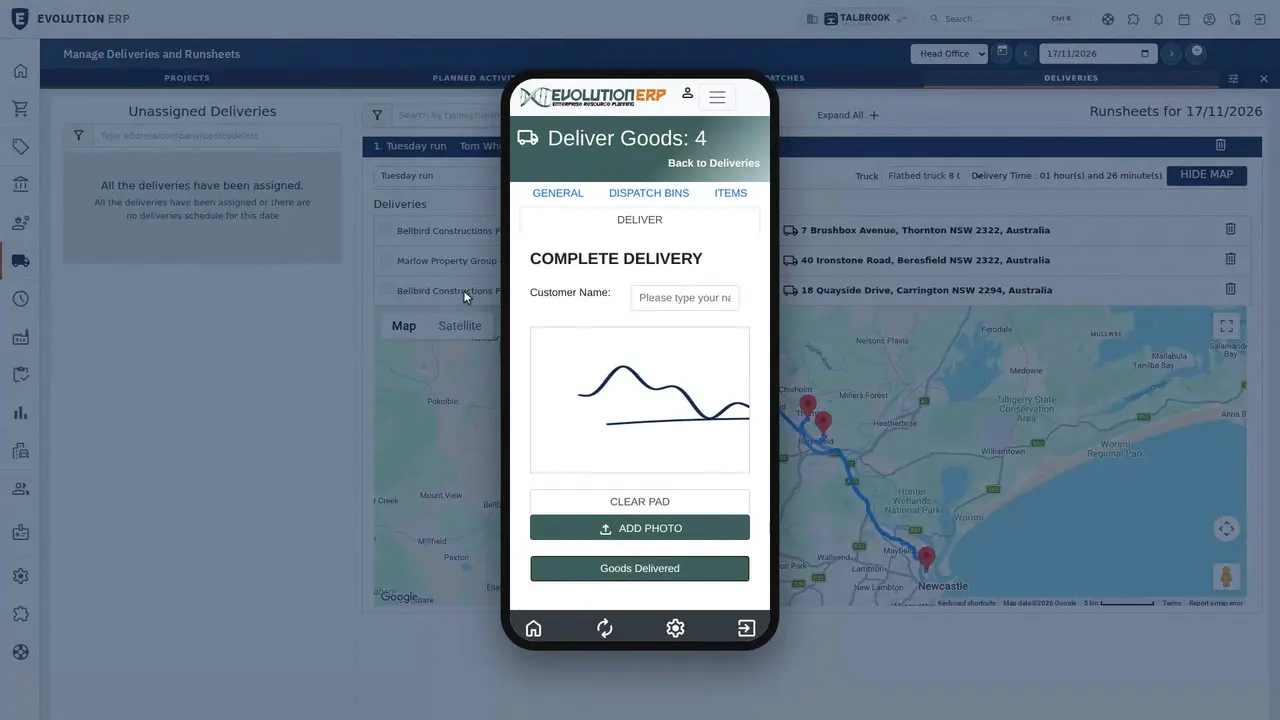
Picking slips from the Project, the dispatch, runsheets with a route map, signed proof of delivery on the driver's phone and carrier tracking links. Recorded on our demo company.
Watch
Pick it, load it, get it signed for.
Pick a chapter to jump straight to it. Captions are in the player.
- Length
- 1 minute 167 chapters
- Recorded on
- Talbrook Steel & Fabricationour made-up demo company, not a customer
- Captions
- Englishturn them on in the player
Chapters
Transcript
What the video says.
The narration, chapter by chapter, as it is spoken in the video.
| 0:00 Dispatch in Evolution ERP | Picked, loaded and signed for. Here's how an order gets from the shelf to the customer in Evolution ERP. |
|---|---|
| 0:08 Picking slips | Picking slips come from the Project, so the warehouse picks what was sold, from the bin it's in. |
| 0:20 The dispatch | The dispatch shows what's ready and what's left to send on every line, and works out the gross weight from the items. |
| 0:32 Runsheets and the route map | Runsheets put the day's deliveries together, with the driver, the vehicle and a route map. Stops run in the order you set. |
| 0:42 On the driver's phone | Drivers run the day from their phone, and the customer signs for the goods on the screen. |
| 0:54 Tracking | Your own carrier list turns a con note into a Track link, on screen, on dockets and in the customer's email. |
| 1:05 Book a demo | Book a demo, and we'll walk you through it on our demo company, from quote to invoice. |
Book a demo
See the whole flow in one demo.
We’ll walk you through a working demo company, from quote to factory to truck to invoice, and answer your questions as we go.