
Video · 1:20
Manufacturing in Evolution ERP.
Production orders off the Project, your own routes and processes, the factory workbench on a tablet, the live board, capacity and the production calendar. Recorded on our demo company.
Watch
Run the floor from the same record.
Pick a chapter to jump straight to it. Captions are in the player.
- Length
- 1 minute 207 chapters
- Recorded on
- Talbrook Steel & Fabricationour made-up demo company, not a customer
- Captions
- Englishturn them on in the player
Chapters
Transcript
What the video says.
The narration, chapter by chapter, as it is spoken in the video.
| 0:00 Manufacturing in Evolution ERP | If you make what you sell, Evolution ERP runs the factory floor from the same record as the quote. Here's a Project going through the shop. |
|---|---|
| 0:09 Production orders | Production orders come straight off the Project, so the shop makes what was sold, not what was retyped. |
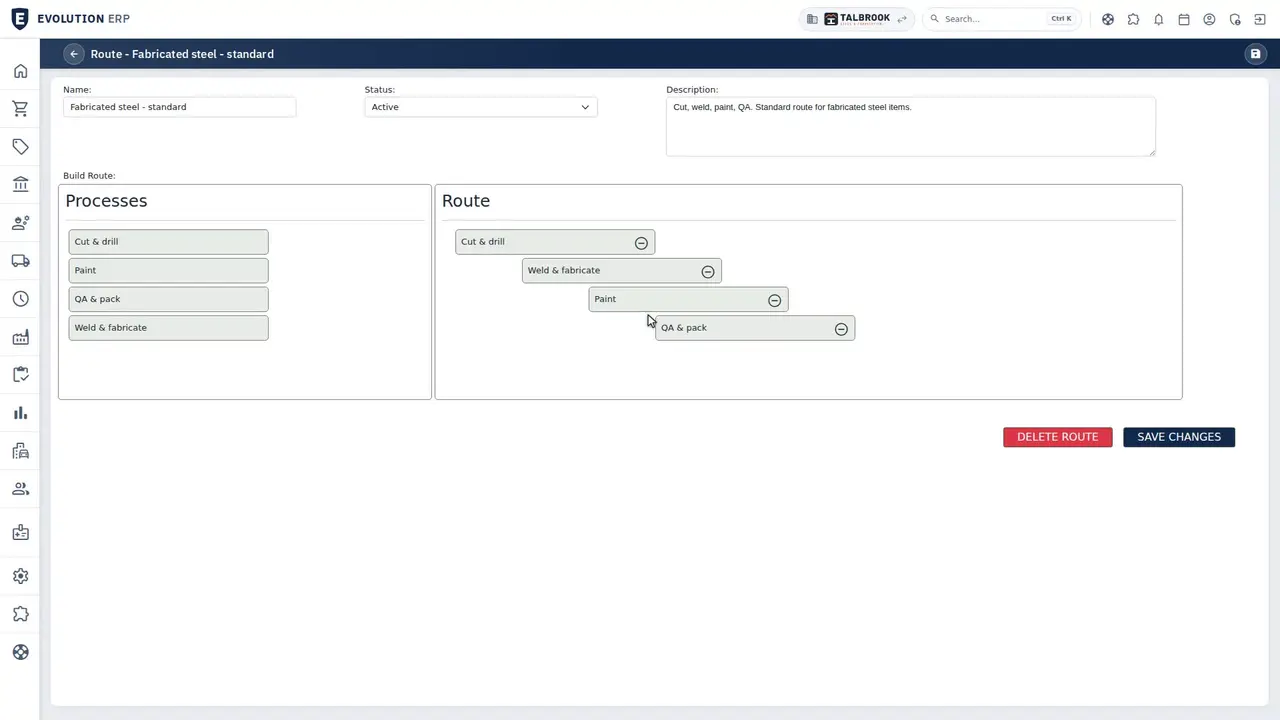
| 0:19 Your routes and processes | Each order runs through your own routes and processes, in the order your shop works. |
| 0:29 The workbench | At each station, operators work from a tablet: what's queued, the instructions for the Project, and a session clock that runs while they work. QA forms and consumables are recorded at the bench. |
| 0:48 Live board and capacity | The live board shows where every order is, and capacity shows the load on each process. |
| 0:58 Production calendar | The production calendar and the demand schedule show what's waiting to be made. |
| 1:09 Book a demo | Use your own routes and processes, with every module in the one per-user price. Book a demo, and we'll walk you through it. |
Book a demo
See the whole flow in one demo.
We’ll walk you through a working demo company, from quote to factory to truck to invoice, and answer your questions as we go.