
Steel fabrication
Steel fabrication software, from the quote to the install.
Quote from your own steel, labour and margins, run each Project through your own shop processes, then deliver, install and claim it. One system, and Xero keeps the books.
- Quote
- Your own steel and labourBOM configurator, quote types, pricebooks
- Shop
- Your own processesworkbench on a tablet at each station
- Site
- Install and claimcrews, defects, progress claims, retentions
Where it goes wrong
A fabricator's margin leaks between the systems.
The estimate is in a spreadsheet, the shop works off paper, and nobody knows what a Project made until well after the invoice. Evolution keeps them on one record.
01
Quoted in one place, made in another
The accepted quote becomes the Project, so the shop builds what was sold, not what was retyped.
02
Hours nobody can find
Operators record sessions at the bench and crews book time to the Project, costed at each person's rate.
03
Steel bought twice, or not at all
Requisitions and purchase orders are raised against the Project, and stock is tracked by branch and bin.
04
Claims chased from memory
Progress claims and retentions are raised from the Project and sent to Xero.
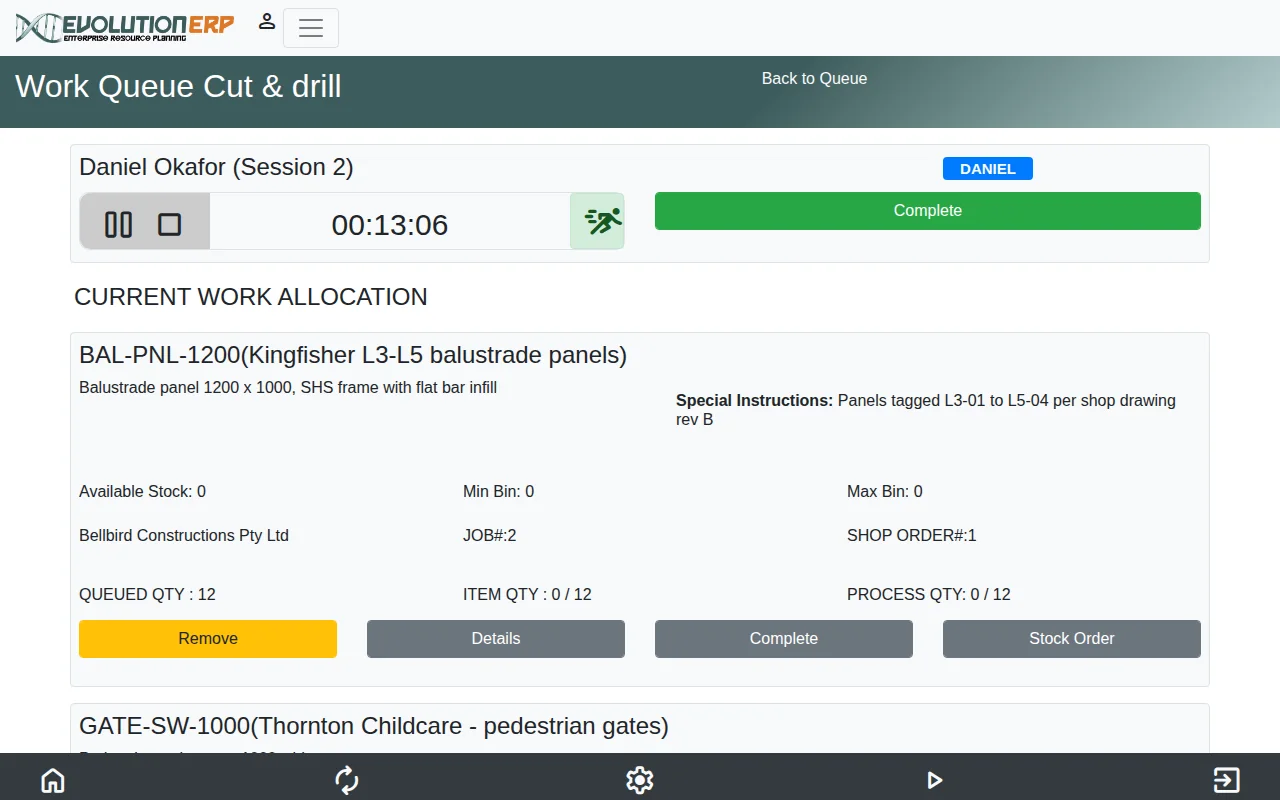
- The session clock runs while the operator works
- Special instructions from the shop drawing, on the bench
- Queued, made and left to do for each process
On the shop floor
Cutting, welding, painting: your processes, your order.
Production orders run through your own routes and processes. Each station has the workbench on a tablet, with what's queued, the instructions for the Project and a running session clock.
- Production orders through your own routes
- Sessions, QA forms and consumables at the bench
- A live board and capacity for the shop
Timesheets
Every hour lands on a Project.
Workshop and site crews book their time against the Project they worked on. Labour turns up in Project costing straight away, and it is there to invoice from.
- On the floor or on site
- Run a timer while the work is happening, or enter the day afterwards, against the Project’s labour lines.
- Approved and billable
- The Project manager, a timesheet manager or a department manager approves the week’s hours on one screen, and billable and non-billable time is kept apart.
- Costed and invoiced
- Each hour is costed at the person’s rate, and invoiced time is marked so it is never billed twice.
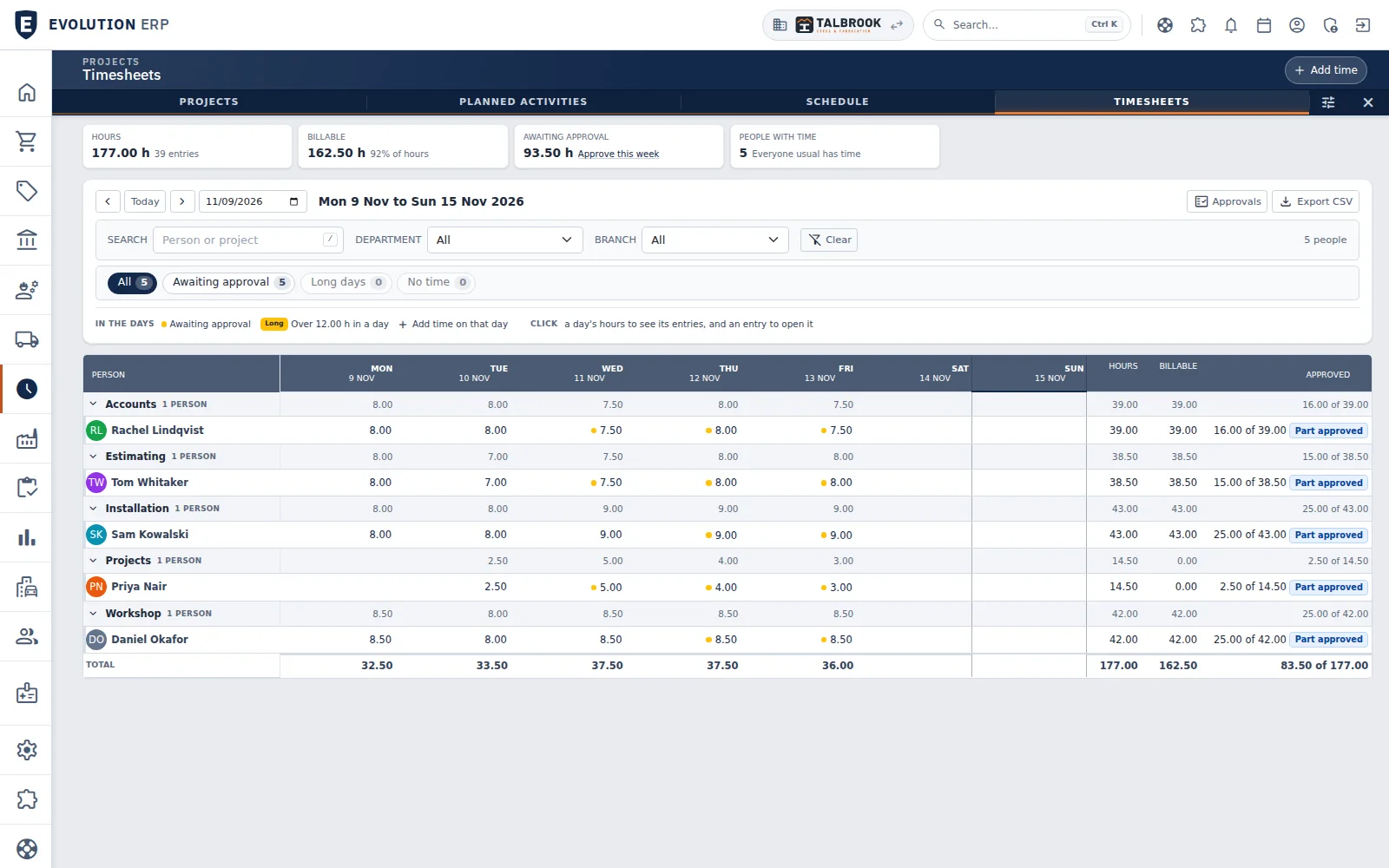
- The week's hours, billable share and time still awaiting approval
- A dot marks hours awaiting approval; click a day to see its entries
- Hours, billable and approved totals for every person
Out the gate
Delivered from the Project.
Picking slips and dispatches come off the Project, drivers work from a runsheet, and the customer signs for it on the driver's phone.
On site
Installed, claimed, closed out.
Install visits, site instructions and WHS forms sit on the same Project, then defects through to handover.
- Planned activities and crew scheduling
- Progress claims and retentions
- Invoices to Xero every 15 minutes
Video · 1:23
From the BOM to the signed dispatch.
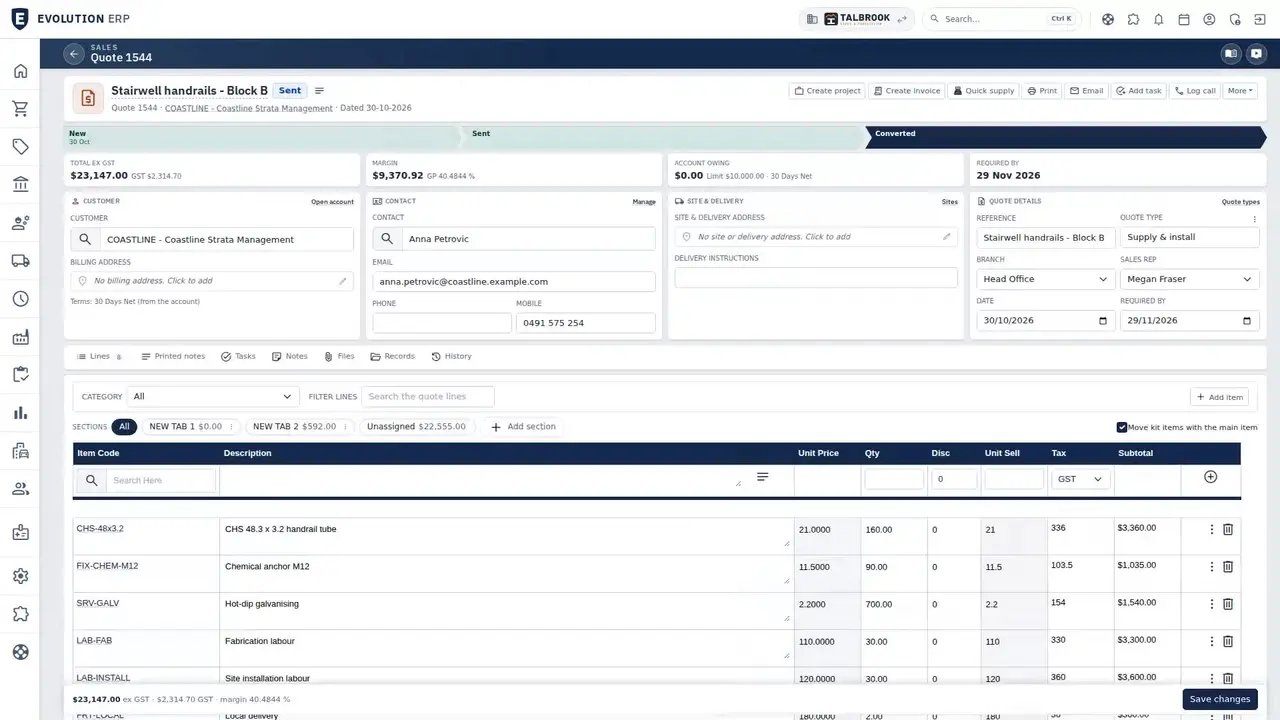
A balustrade quote with a multi-level bill of materials, production orders, the workbench tablet and a dispatch the customer signs for, on our demo company. The video starts at the fabrication chapter.
Questions
Steel fabrication questions
Can we quote from our own steel prices and labour rates?
Yes. Quotes are built from your own items, labour and margins, with quote types, templates, pricebooks and a BOM configurator.
Can we set up our own shop processes?
Yes. Production orders run through your own routes and processes, and each station can run the factory workbench on a tablet.
Does it handle progress claims and retentions?
Yes. Progress claims, retentions and credit notes are raised from the Project and sent to Xero.
Do we need to replace Xero?
No. Xero keeps the books. Invoices and bills go to Xero, and payments come back.
Book a demo
See the whole flow in one demo.
We’ll walk you through a working demo company, from quote to factory to truck to invoice, and answer your questions as we go.