
Evolution ERP has always kept your opportunities: the customer, the value, the quotes. Full CRM turns that list into a sales pipeline your team works from every day. You get a board of stages, a page for every opportunity, and a nudge when a deal goes quiet. It’s live now and included in the per-user price.
Switching it on
A sales administrator opens Sales › Opportunities and chooses Upgrade to Full CRM in the page header. It switches on for the whole company.
Nothing is lost. Your opportunities, quotes and contacts are the same records, links across Evolution open the new screens, and Classic view is one click away. To switch Full CRM off again, use the Full CRM tab in Opportunity settings.
The whole pipeline on one board
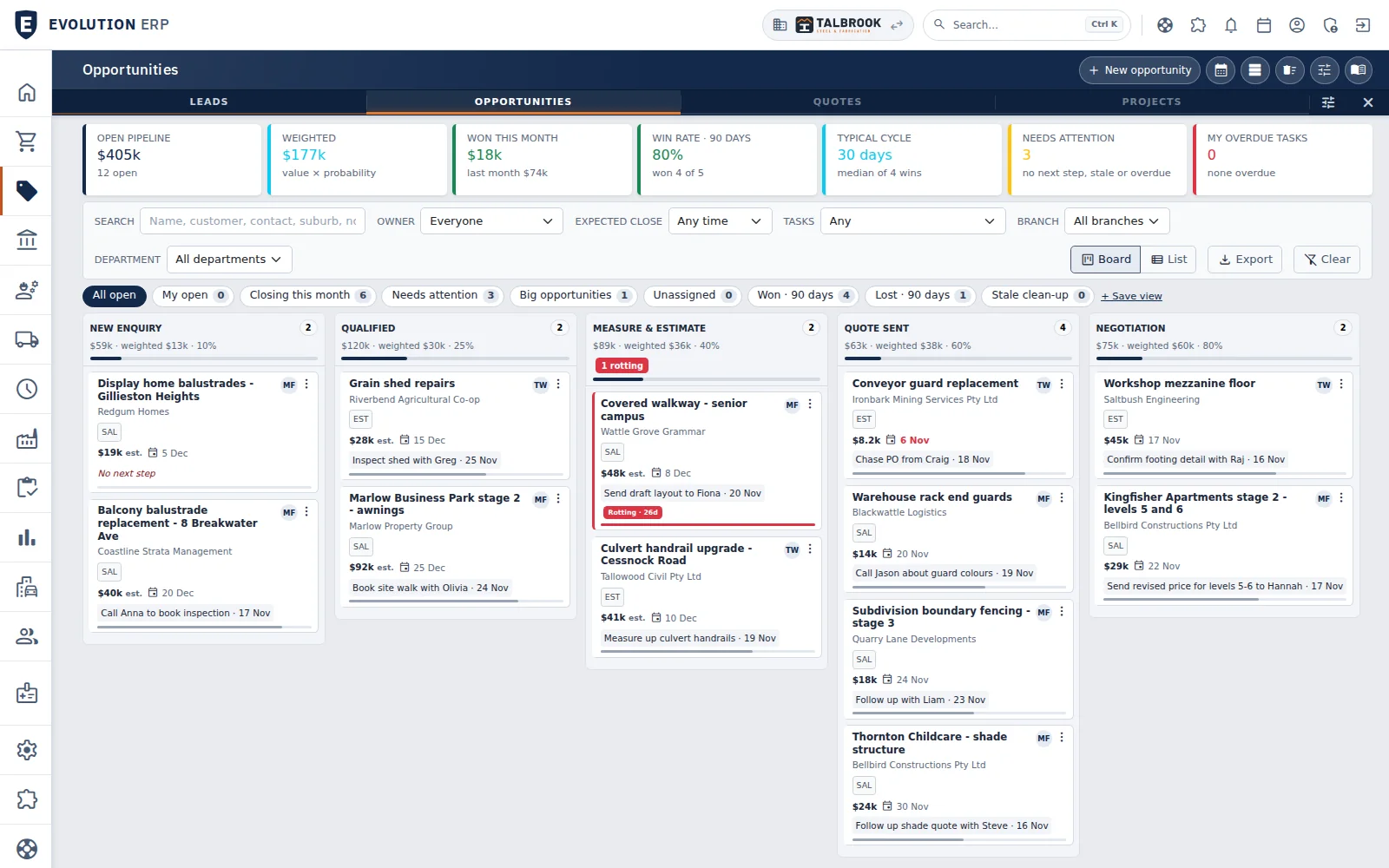
Each stage is a column. Drag a card to move it, or drop it on Won or Lost to close it. Across the top you’ll see the open pipeline, the weighted pipeline (value times probability), what you’ve won this month, your win rate and how long a typical win takes.
Needs attention counts the opportunities with no next step, those sitting too long in a stage and those past their expected close date. Filter by owner, branch or expected close, switch between Board and List, and save the views you use.
A page for every opportunity
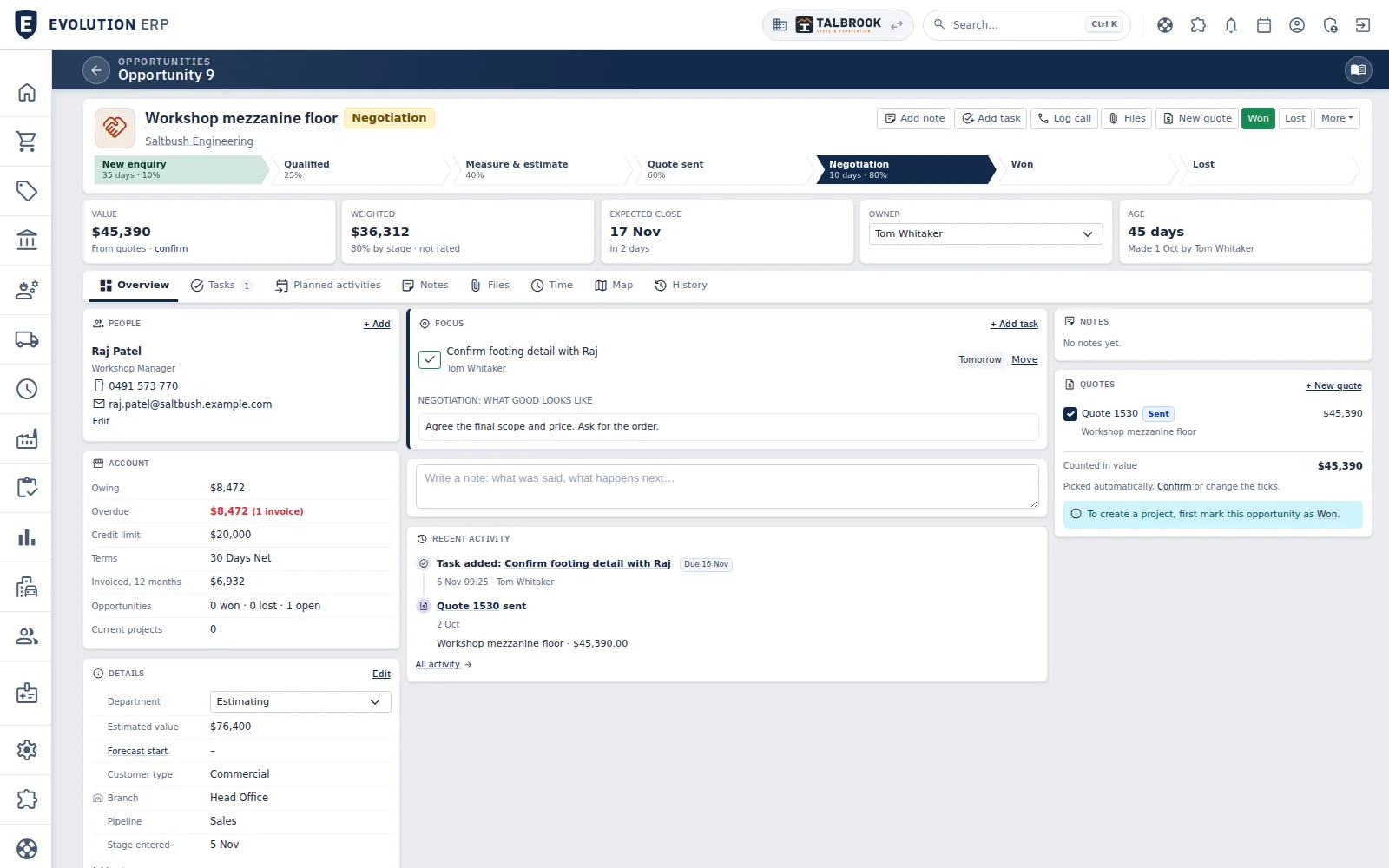
The stage path across the top shows how many days the opportunity has spent at each stage, and flags it as rotting when it sits too long. Tiles show the Value, the Weighted value (the salesperson’s own probability, or the stage’s), the Expected close date, the Owner and the Age. If the same customer already has another opportunity open at the same site, Evolution tells you.
- Focus keeps the next step in front of you, along with what good looks like at this stage and a checklist of what’s needed before the next one.
- Quotes: revisions of the same quote count once, so the value isn’t doubled. Evolution picks the quotes that count, and you confirm.
- Tabs for Tasks, Planned activities, Notes, Files, Time, Map and History. An opportunity that started as a lead brings the lead’s history with it.
Won, lost, and back again
Mark an opportunity Won, tick the quotes the customer accepted and give a reason. You can make the project straight away, from one quote or several for the same customer.
Mark it Lost and Evolution asks why, and who the customer went with. It can also book a task to follow up on a date you choose. If the work comes back, Reopen returns the opportunity to the furthest stage it reached.
Plan the work before the sale
Pencil a site visit, measure-up or install onto the shared calendar while it’s still an opportunity. Pencilled activities don’t count towards the day’s load. When the quote is accepted they move onto the project, and marking the opportunity Lost offers to cancel them.
Stages that match how you sell
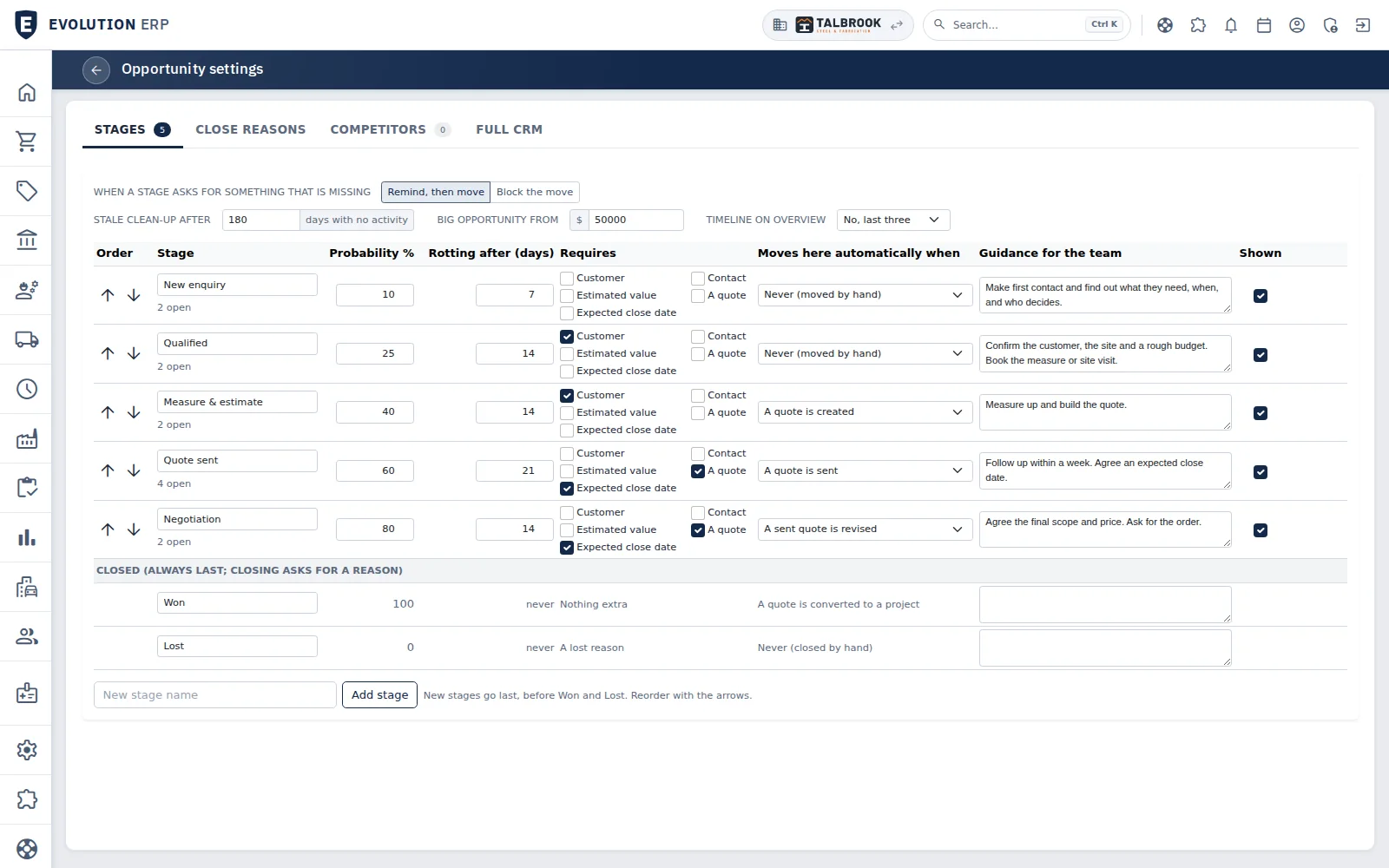
In Opportunity settings you name your own stages and set, for each one:
- its probability;
- how many days before an opportunity is flagged as rotting;
- what it needs first: a customer, a contact, an estimated value, an expected close date or a quote;
- whether opportunities move into it on their own when a quote is created, sent or revised;
- guidance for the team.
You choose whether a missing requirement just reminds people or blocks the move. Close reasons and competitors have their own tabs.
More on every contact
Contacts show their recent activity and when they were last contacted, with a warning when a relationship is going cold. There’s room for birthdays, family and interests, and a quick LinkedIn or Facebook search.
On the phone and on Home
On a phone, the opportunity page has a bar along the bottom for Note, Task, Photo, Call and More. Full CRM also adds four Home widgets: Opportunities needing a next step, Opportunities at risk, Pipeline by stage, and Win / loss.
Prefer to watch? Full CRM is at 1:46 in the What’s new video. CRM in Evolution ERP