
Video · 1:13
Installation in Evolution ERP.
Planned activities and crews, site instructions, WHS forms on a phone, defects through to handover, then servicing. Recorded on our demo company.
Watch
Install it, hand it over.
Pick a chapter to jump straight to it. Captions are in the player.
- Length
- 1 minute 137 chapters
- Recorded on
- Talbrook Steel & Fabricationour made-up demo company, not a customer
- Captions
- Englishturn them on in the player
Chapters
Transcript
What the video says.
The narration, chapter by chapter, as it is spoken in the video.
| 0:00 Installation in Evolution ERP | Install it, commission it and hand it over. Site work in Evolution ERP runs from the same Project as the quote. |
|---|---|
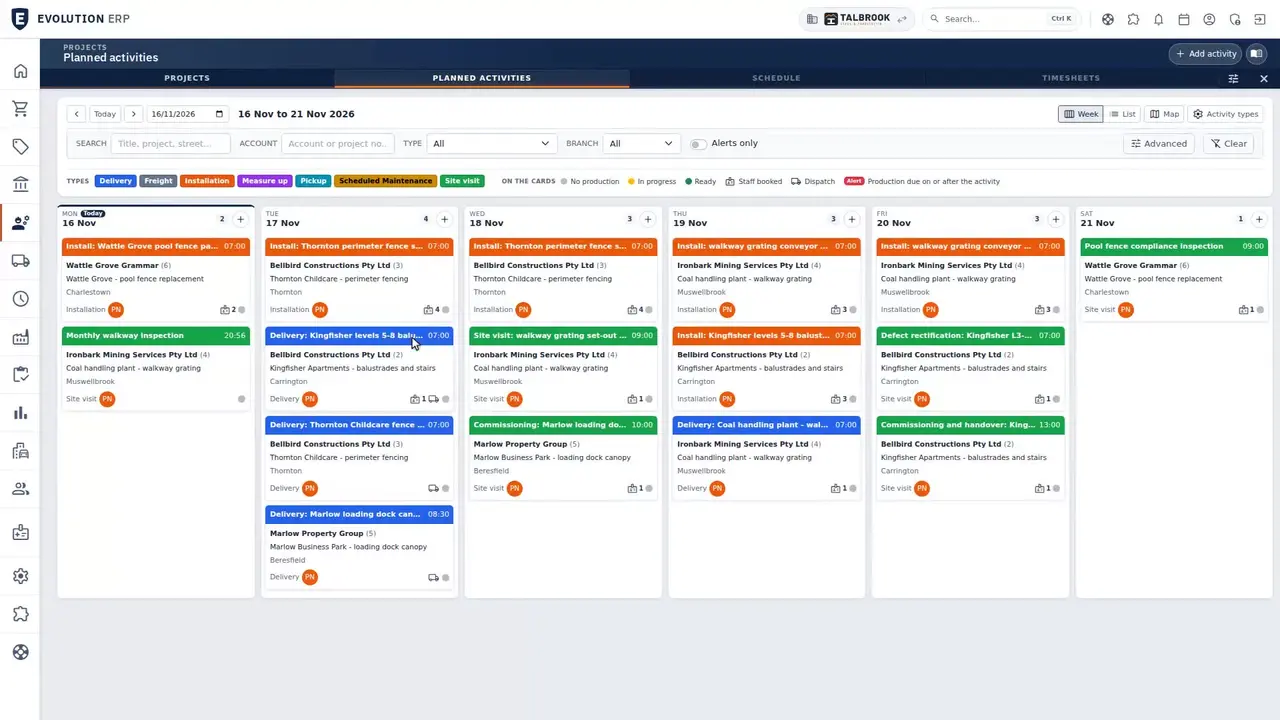
| 0:08 Planned activities | Installs, deliveries, measure-ups and site visits go on the planned activities calendar, colour-coded by type, with the crew booked to each one. |
| 0:19 Site instructions | Each visit carries the site instructions, inductions and access notes the crew needs when they get there. |
| 0:29 WHS forms | Build your own WHS forms, like this install pre-start. Crews fill them in on a phone before work starts. |
| 0:41 Defects to handover | Defects are logged, assigned and rectified through to handover, with the rectification visit on the same calendar. |
| 0:52 Servicing | After handover, servicing schedules create the servicing visits automatically. |
| 1:03 Book a demo | Use the steps your business runs, with every module in the one per-user price. Book a demo, and we'll walk you through it. |
Book a demo
See the whole flow in one demo.
We’ll walk you through a working demo company, from quote to factory to truck to invoice, and answer your questions as we go.