
Video · 2:54
Evolution ERP in 3 minutes.
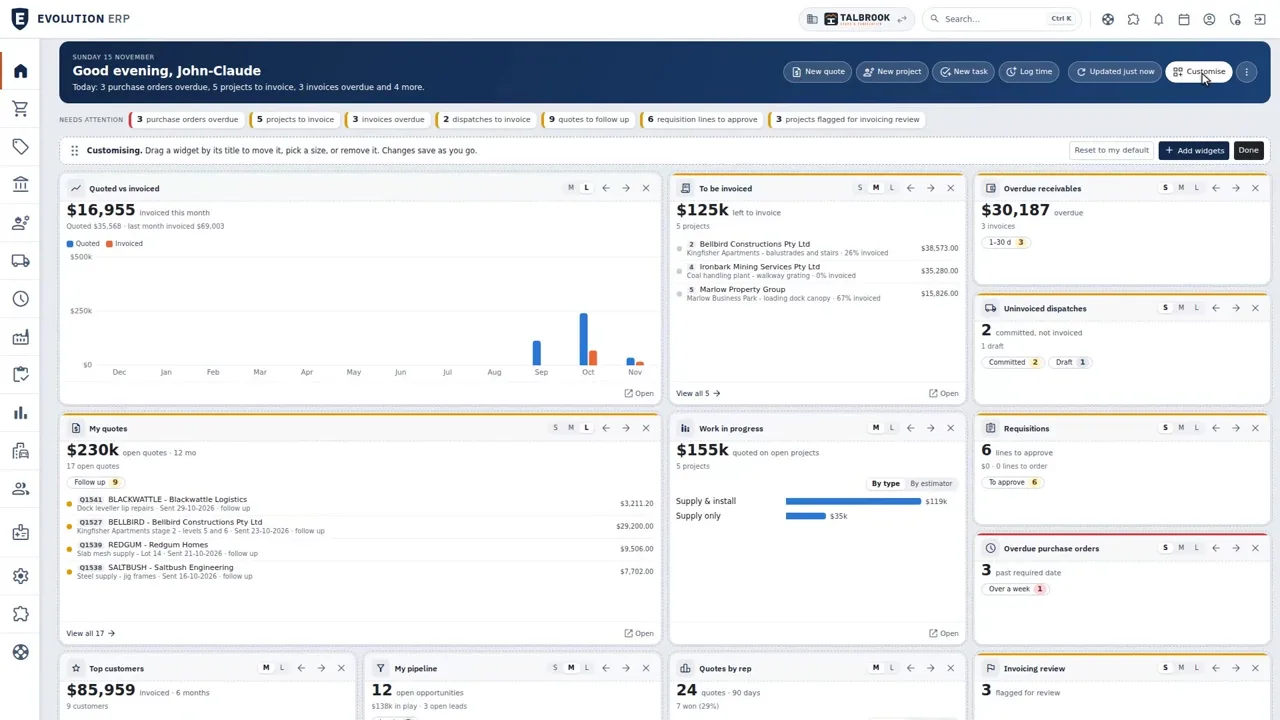
A tour of the whole system on our demo company: quoting, purchasing, stock, production, dispatch, installs, servicing, timesheets, progress claims with Xero, and what each Project made.
Watch
From the first quote to the paid invoice.
Pick a chapter to jump straight to it. Captions are in the player.
- Length
- 2 minutes 5415 chapters
- Recorded on
- Talbrook Steel & Fabricationour made-up demo company, not a customer
- Captions
- Englishturn them on in the player
Chapters
- 0:00What Evolution ERP does
- 0:13Dashboard
- 0:23CRM and sales pipeline
- 0:34Quoting
- 0:45Quote to Project
- 0:55Purchasing
- 1:05Inventory and counter sales
- 1:21Manufacturing
- 1:32Dispatch and delivery
- 1:42Installs, scheduling and WHS
- 1:54Servicing and assets
- 2:06Timesheets and approvals
- 2:18Progress claims and Xero
- 2:31Project costing and reports
- 2:43Book a demo
Transcript
What the video says.
The narration, chapter by chapter, as it is spoken in the video.
| 0:00 What Evolution ERP does | If your business quotes the work, then makes, supplies, installs or services it, this is Evolution ERP: one Australian system from the first quote to the paid invoice, with Xero keeping the books. |
|---|---|
| 0:13 Dashboard | Everyone starts on their own dashboard, with the figures that matter to them: sales this month, overdue invoices, and work still to invoice. |
| 0:23 CRM and sales pipeline | Sales work from a pipeline with your own stages, and each opportunity keeps its tasks and quotes in one place. |
| 0:34 Quoting | Quotes are built from your own items, labour and margins, and a quote type for each kind of work sets the template. |
| 0:45 Quote to Project | When the customer says yes, the quote becomes the Project: the one record every step after this hangs off. |
| 0:55 Purchasing | Order what it needs on a purchase order, receive it into stock, and the supplier's bill goes to Xero. |
| 1:05 Inventory and counter sales | Stock is tracked across your branches and bins, with minimum and maximum levels that tell you what to reorder. Quick Supply handles counter sales, and the backorder report shows what's still to follow. |
| 1:21 Manufacturing | If you make what you sell, production orders run through your own routes, and operators work from a tablet with the item, its instructions and the clock in front of them. |
| 1:32 Dispatch and delivery | Dispatches come from the Project too. Each line shows what's ready and what's left, and the customer signs for it by name. |
| 1:42 Installs, scheduling and WHS | Installs, deliveries and site visits go on the planned activities calendar. Crews fill in pre-start checks on a phone, and defects are tracked through to handover. |
| 1:54 Servicing and assets | Servicing schedules create the visits for you, and assets keep plant, vehicles and equipment booked and maintained. |
| 2:06 Timesheets and approvals | Time is booked to the Project by timer or afterwards, managers approve the week in a few clicks, and licences carry expiry dates and reminders. |
| 2:18 Progress claims and Xero | Then bill the way the work runs: progress claims with retentions, or one invoice at the end. Committed invoices go to Xero within fifteen minutes, and payments come back every hour. |
| 2:31 Project costing and reports | And because it's all one record, Project costing shows what each Project really made, and more than sixty built-in reports cover the rest. |
| 2:43 Book a demo | Use the steps your business runs, with every module in the one per-user price. Book a demo, and we'll walk you through it. |
Book a demo
See the whole flow in one demo.
We’ll walk you through a working demo company, from quote to factory to truck to invoice, and answer your questions as we go.