
Manufacturing
Manufacturing software that runs from the Project.
Production orders come straight off the Project and move through your own routes and processes. The floor works from a tablet, and the office sees what's queued, made and left to do.
- Production
- Your own routes and processesorders straight off the Project
- The floor
- A workbench on a tabletsessions, QA forms and consumables
- The office
- A live board and capacityqueued, made and left to do
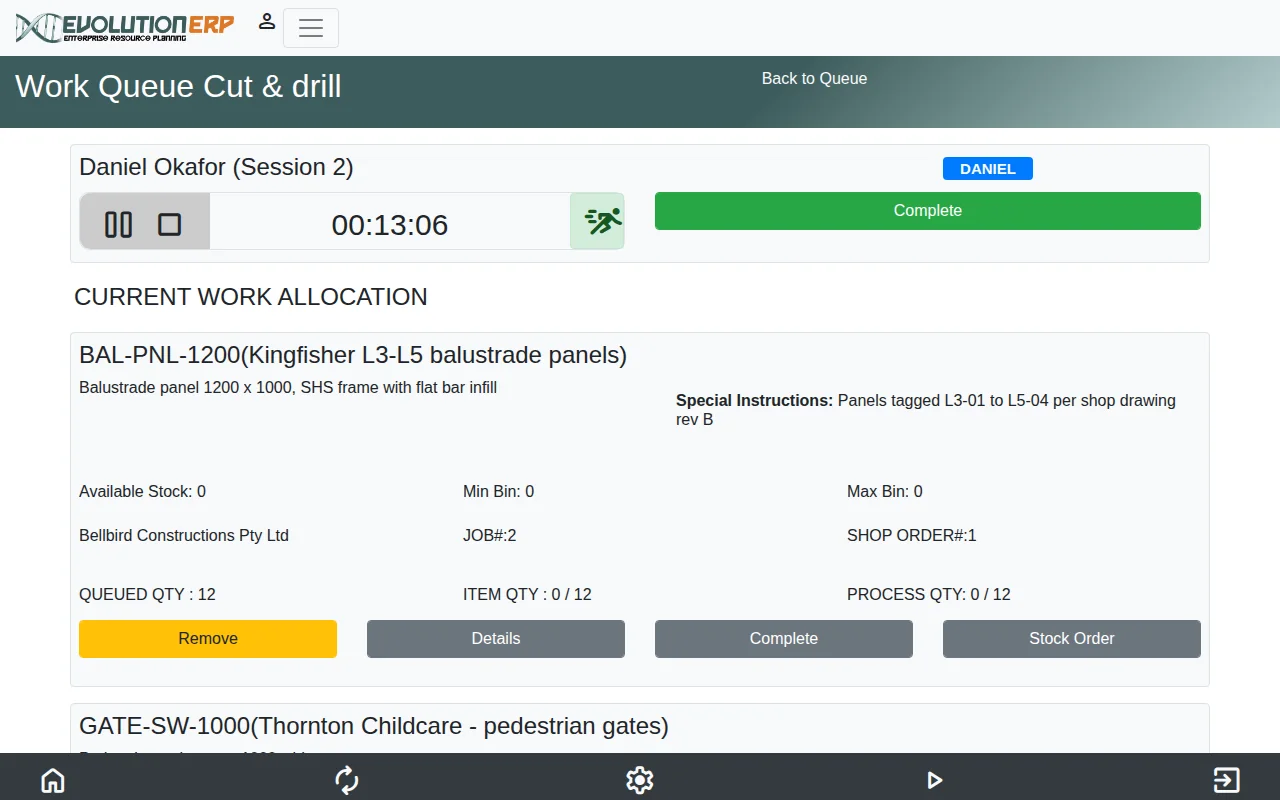
- The session clock runs while the operator works
- Special instructions from the shop drawing, on the bench
- Queued, made and left to do for each process
The floor
Run the factory floor from the same record.
Operators start a session on the tablet at their station, see the instructions for the Project in front of them, and record what they made.
- Production orders through your routes and processes
- Factory workbench on a tablet: sessions, QA forms, consumables
- Live board, KPIs, and load against capacity
What's in production
From the bill of materials to the finished product.
Everything the floor needs, on the Project the office sold.
- Bills of materials
- Production orders from the Project
- Your own routes and processes
- Factory workbench on a tablet
- QA forms at the bench
- Consumables recorded as they're used
- Live board, KPIs and capacity
- Project costing and WIP
Timesheets
Every hour lands on a Project.
Workshop and site crews book their time against the Project they worked on. Labour turns up in Project costing straight away, and it is there to invoice from.
- On the floor or on site
- Run a timer while the work is happening, or enter the day afterwards, against the Project’s labour lines.
- Approved and billable
- The Project manager, a timesheet manager or a department manager approves the week’s hours on one screen, and billable and non-billable time is kept apart.
- Costed and invoiced
- Each hour is costed at the person’s rate, and invoiced time is marked so it is never billed twice.
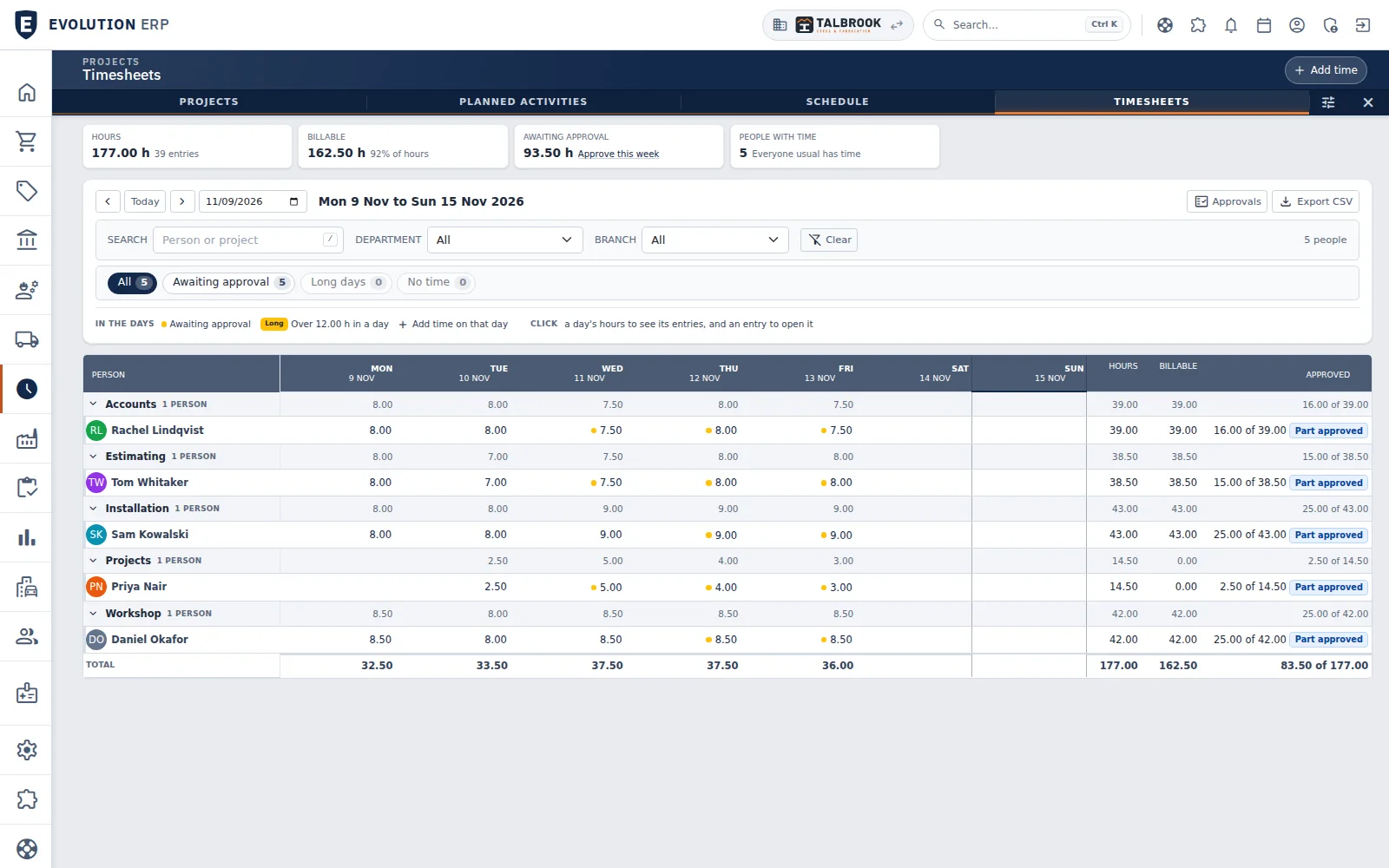
- The week's hours, billable share and time still awaiting approval
- A dot marks hours awaiting approval; click a day to see its entries
- Hours, billable and approved totals for every person
Then it ships
Pick it, load it, get it signed for.
Picking slips and dispatches come from the Project, and drivers run the day from their phone.
- Picking slips and dispatches from the Project
- Runsheets with drivers, vehicles and a route map
- Signed proof of delivery and freight manifests on mobile
Then it's installed
Site work on the same Project.
Crews, site instructions, safety forms and defects all sit on the Project, through to handover.
- Planned activities and crew scheduling
- Site instructions for every visit
- WHS form builder
- Defects through to handover
Video · 1:23
See it on the factory floor.
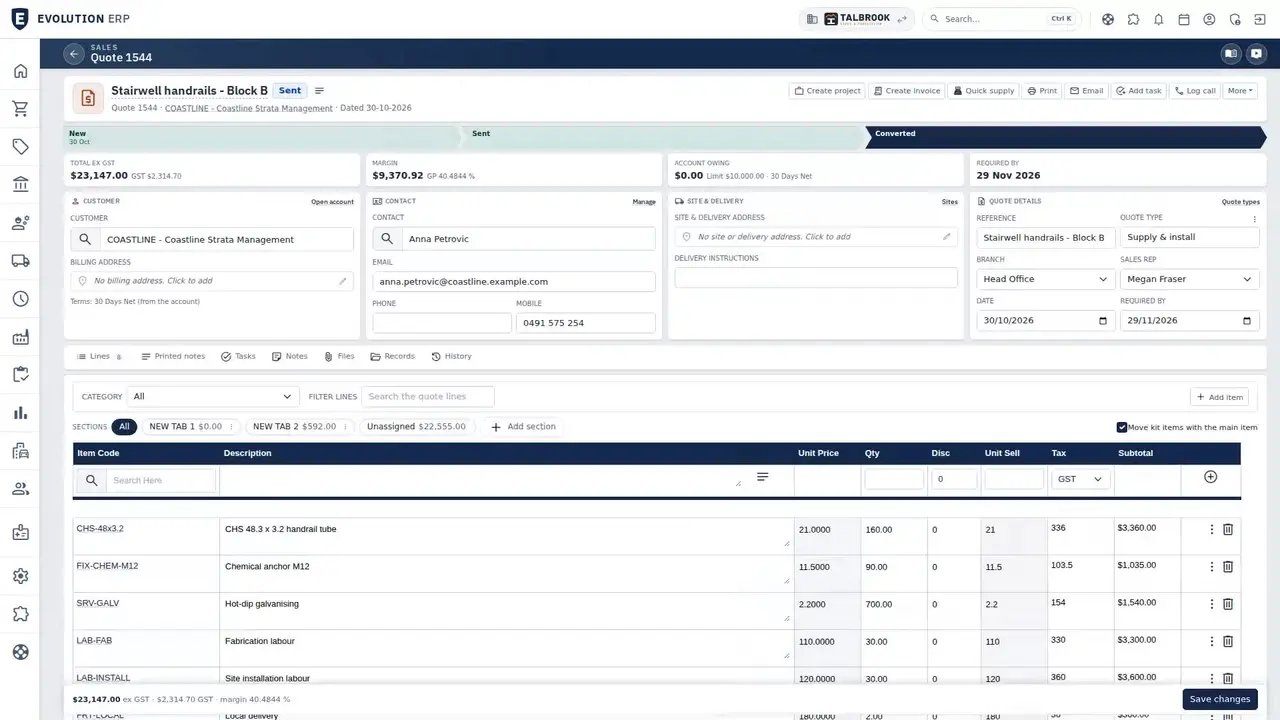
A quote built from a multi-level bill of materials, production orders through their routes, the operator's tablet and a dispatch the customer signs for, on our demo company. The video starts at the manufacturing chapter.
Questions
Manufacturing questions
Can we use our own production steps?
Yes. Production orders move through your own routes and processes.
Does the floor need computers?
No. The factory workbench runs on a tablet. Evolution is one web app for the office, the factory floor and the field, and it works on any phone or tablet.
Can we see what each Project made?
Yes. Time, materials and invoices all land on the Project, with Project costing and WIP.
Where does the production order come from?
From the Project, which came from the accepted quote, so the floor builds what was sold.
Book a demo
See the whole flow in one demo.
We’ll walk you through a working demo company, from quote to factory to truck to invoice, and answer your questions as we go.